What Are People Buying from this Web Entrepreneur?
(Written in 2017)
Sometimes it is helpful to see what’s happening in someone else’s business. Like many other online writers, I saw a shakeup in income during the past year (2016), so I am trying to see where “the cheese” has relocated.
I know a little of where the bloggers are going… they are giving webinars and making ebooks to sell, making paid membership sites and information to some extent. The content farm writers are trying their hand at their own blogs, and others are networking, speaking, and writing books.
It is quite the fruit salad of alternatives, but back to the point of this post, I am looking at what on sells Amazon for my sites, which designs at Zazzle are purchased, and other pertinent bits of information.
Web Entrepreneurs Affiliated with Amazon
(As of 2024, my Amazon income and orders has drastically dropped and stayed depressed. After Hubpages and their partners took over almost all Amazon affiliate links were removed or penalized, but you can view the former information recorded here)
After the initial drop from the closing of Squidoo, I usually see between 7 and 20 orders which qualify for affiliate referral.
This quarter some of the items were books (mainly from my garden site), but also:
Since Hubpages has radically reduced the number of Amazon products (to zero in some cases) allowed on my pages, I may well see less of the hair careall orders in the future.
Hubpages was taken over by another company and has dwindled down to almost no income for me, and for most web entrepreneurs like me, now. For years the forums on Hubpages had complaints about effects of Google updates. In 2024, this has benefitted my own hosted websites, but the content farms continue to struggle for small-scale writers who are not employed directly.
Zazzle Web Entrepreneur
In 2024 I have to update my findings on this web entrepreneur avenue. My stores there have become one of my main sources of online income.
Everyone at Zazzle forums complains of changes leading to less income, but I don’t know the overview. For me, last year was a struggle, and this year is variable. While it seems that I am making progress at times, the orders are often small and for products that have little commission. I don’t make consequential referral income.
As I have worked harder in this sector of web entrepreneurship, I have seen much more success in my Zazzle efforts.
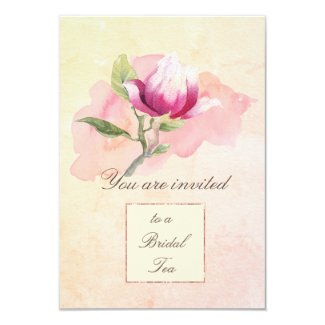
The sectors that are known to sell, for web entrepreneurs on Zazzle, have been the invitation areas of Wedding, Shower, and Birthday. let it be known that these are so highly competitive and saturated that it pays to find your own niche within those areas.
A more complete picture of what sells on this POD, for me, can be seen from postings on my art Facebook page.
When I began monetizing, in the early 2000’s, Google ads, affiliate advertising -including Amazon- were the main sources of income. These were incorporated into blogging for web entrepreneurs. Then came the rise and changes inside Social Media platforms, i.e. Facebook/Instagram, Twitter/Now X, et al.
I did not ever enter the Etsy platform as a store, and from Youtube tutorials this has changed and become much more challenging. I have not attempted to create my own stores with Shopify or WooCommerce. Facebook has wasted restricted its platform for commerce, etc. So, I don’t have anything helpful to say about these resources.
Youtube long ago changed so that I had no income from that platform, either.
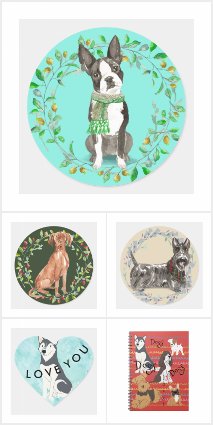
I recently added a dog breed design that is made for the holidays, with its wreath and Christmas colors. It is a fun watercolor style that highlights fans of the Vizsla dog breed.
The "Faith" tshirt remains live because it made one sale. This is the criteria for designs to have longevity on Amazon Merch. Then, I bought one for myself- got many compliments on the shirt and people really liked the design. I will say it runs slightly small, so order one size up unless you like a slim fit. The length was really nice, and I liked the overall quality.
Details About Merch by Amazon
we are limiting the number of t-shirts a content creator can make based on tiers of designs.
The Merch by Amazon team will be hand-selecting content creators who have sold the same amount of t-shirts as the number of the tier they are in. For example: to move up from the 10 tier, a content creator will need to sell at least 10 shirts from those they have created to move up to the 25 tier.
Admission to these tiers are based not only on sales, but the quality of the products being sold by the content creator as well.
Tier levels include: 10 25 100 500 Pro (by invitation)
Learning Curve
I have to confess that Merch by Amazon has a big learning curve when it comes to creating on the site. Now that many changes have been made to the system, it is frustrating to have a short timeline to sell designs and then have them removed.
If a design does not sell, it is removed. It cannot be automatically renewed, and there is a limit to the number of designs that can be uploaded each day.
These are not unreasonable restrictions, but quite different from other sites like Zazzle or Redbubble, etc.
Comparing Merch with Other Similar Sites
I have worked on Zazzle since 2011, and that site had a similar slow start for me. It produces regular, if not large, pocket money now. I expect that Redbubble and Merch are similar. From others comments some of them have greater success on Redbubble and all who comment on their stores say that each one differs and it is helpful to diversify.
Producing content for each POD type of store is different. In Amazon Merch each product is produced individually, from the upload to writing the descriptions and tagwords to the publishing. Zazzle, while now similar in that they encourage single rather than batch operations of publishing, have the transfer feature. This helps reduce time. Redbubble and Society6 automate the designs to their products, after which it is wise to size and edit each one to look good on that particular one.
I will report on the comparisons in a more definitive way in about a year. I think that is enough time to observe sales and see the trend.
What are your experiences? Do you like one site better than another for making sales? Which one is best for your designs and style?
If you need to make a professional looking graphic for your headers or banners it is no secret that Picmonkey and Canva are free, easy, and accessible.
However, maybe you didn’t know about that, yet.
It is easy to sign up for free access to most of the features and use the online editor. However I use the premium, for the extra features. Want to access those? Use my handy affiliate link for Picmonkey, and support me while you do yourself a favor and gain some really useful apps for graphics.
Canva is very clear that their graphics are for personal use only. So nothing made on their site should be sold, although I am sure that you can make personal headers for your store or collections on this site.
Picmonkey has no dire warnings, so I am not sure about the use of your graphics, although they will be perfectly fine for anything personal, as well. Personal use is posting on your social media, blogs, etc. as well as making products for yourself, like cards you want to send.
Commercial would include POD products like those sold on Zazzle, etc.
Right now the only things I am recommending these sites for is the personal usage. Making Facebook headers, headers for your store, or profile pics. Collection and category graphics which can all be branded with your particular style.
I am always hanging out in the forums looking for tips to be more successful on Zazzle. I am especially interested in improving my designs, because a huge part of being successful, to me, is making people happy.
A happy customer is the desired result for the company you are working for, and for yourself as a designer.
The forums at Zazzle have changed quite a bit. As of 2024 they are not as helpful as before, but still useful for occasional tips and also as a way to keep up with Zazzle approved best practices and new products.
Better Images
This particular helpful tip is in the form of a video I came across. While it has some basic info I already knew, it also has some explanation of the new prinitng process that highlights one reason to go with Zazzle as a company…. both as a designer and as a customer.
Watch And Learn
Leave a comment on the video or your experience at Zazzle.
I just finished giving my artist daughter some advice about Zazzle. As it kept building into almost a “mini-course”, I thought maybe it would be a good idea to write some of that advice down in one place.
Start Here to Learn Success Tips For Zazzle
So much has changed at Zazzle that it is time to make some additions to this page. Thankfully just about everything written previously is still helpful. June 16,2024
Presently, one of the most important things to change is how important self marketing has become. Not just utilizing social media, but making graphics for your products (called “cover photos”) and collections. Collections themselves have risen in importance when it comes to gaining visibility for your designed products.
Canva app is really helpful in doing this, but it is no longer free to use. Youtube tutorials will really help you learn many Zazzle success tips.
For personalizations such as customer’s photos, learn to use the masking feature. More about that feature on the Community forum, here. You may have to be signed in to view the forum posts.
Zazzle has much improved their setup. The design tools are quite robust and I rarely have any troubles with “hang-ups” or freezing, now. The auto-save features on the site are reliable.
The questions started with… What can I do about my created product “hanging up” when I try to post it for sale?
To this, and other difficulties like it, the answer is save your design and write down the title, description, and tags in a text file to copy-paste. Once saved, the design will show up in your “saved file” and you can usually proceed without a problem. The short answer is that sometimes the javascripts get jammed. It might be your browser, Zazzle’s site, or a slow internet connection. Who knows? Just save wherever the hangup is, and then go from there.
This happens to me most often when I am trying to post for sale. That is why I use a text file to keep from losing the description and tags. It is useful as a temporary file for making more products with that same design. Copy and paste the description and tags saves time and typing, while tweaking them for individuality makes them a bit unique.
Designer Editor Improvements
There are a huge number of improvements to the Design Editor.
Select images and text in a design you’ve made, look for the “edit” dropdown, and chose “copy”; then paste the creation onto another surface, even a whole new product design.
“Filters” can change colors of an image into several types of styles; “Patterns” create a number of repeat styles.
Many fonts are available, once text is typed the spacing can be tweaked via the “AV” dropdown. A few text warps are available: arc, inverted arc, vertical.
Infinite color choices for background and for text.
It is now possible to mask photos/images
The crop and selection functions are quite robust.
I used a filter setting to make the background look more like I wanted. On the reverse side of the design I used the arc and the character spacing tweaks for some of the text.
Making Multiple Products with a Design
You can still “Quick Create” (not sure in 2024), but it is no longer recommended, and takes a long time to “post”. With the copy and paste powers of whole designs including their text and settings, it is easy to make multiple products with your favorite creation.
An update is the ability to transfer a design to new products. Just be sure that you modify it if needed to properly fit the product and its dimensions.
Keep Track of Colors via HexFiles
The next tip is to keep a file of hex files for colors you want to use. Either because they are trending or you want to repeat use of those hues.
Keeping track of hex file codesWhat is a hex code?Number and letter codes used for specific colors for certain designs along with description and tag words so that when making more products from that design these are accessible. Name you text file “Zazzlecode” or something similar.
My Best Choices for Hex Color Codes
The Zazzle color chooser itself gives you the hex codes for the color you have chosen- write it down to use again ( that source file, you are keeping).
Or go directly to the Pantone site, but to the insider area where you type in a color name and the info (including hex number) comes up on its own page.
The next bit of advice is how important it is to use some basic SEO, since an artist has to do her own marketing. Use descriptive relevant terms when titling both the design and product, when writing the descriptions, and especially when choosing tag words and phrases.
If you don’t know very much about SEO, there are scads of articles and sites online which explain this to bloggers. Artists can use that same information when working to get Google to find their products, too. Here are the Zazzle success tips to help with that.
Zazzle prefers that you use around 10 important keywords, although you can use more.
Describe your design in terms you think people will search for.
Don’t inflate with irrelevant terms, there is a No-Spam policy in place.
Use places for text that can help your SEO, like descriptions and titles for images, as well as design descriptions and tags. Collections also have tags and descriptions.
Right up there with SEO is making your own product images. Information on important topics for creating and selling in their official handbook. The link above is useful to look at, but outdated, as Zazzle is constantly changing. Check out the PDF, here, as well as guides on the site (Wedding guides, trend guides, etc.
Collections
These are ways to curate your designs, introducing less popular ones, and help to organize your site. They are useful for social media sharing, so learn how to make them (quite easy), then display in your store. It’s been recommended to have your collections near the top.
The entire concept and creation of Collections has re-vamped! To gain greater insights and guidance into this vital part of a designers toolbox, view this video:
This is a fantastic way to share more of your designs to potential customers. Potential customers get to see more of your work ; much easier than trying to spend time navigating your stores (which is awkward and time consuming for most people).
The New Title
Duplicates are a problem in SEO results, so while it used to be okay to have multiple products that use a design titled and described all the same, this is now a problem. Customize the written labels and descriptions for each product.
Zazzle Success Tips forViews
Products views are important. Even your own view of one of your designed products counts, but if you have created something that no one views over a certain length of time, it gets hidden from the general marketplace.
So include your creations in the collections, share them, and go to their pages if necessary, to increase the possibility of sales.
That sums up the latest of gleaned tips for gaining a foothold in Zazzle success. If you have tips add them, please.
My family also uses Amazon Prime often, which saves us money on shipping and more.
Please support my site by using my links, thank you. This Page may contain affiliate links. “As an Amazon Associate I earn from qualifying purchases”